拓冰网站定制
语言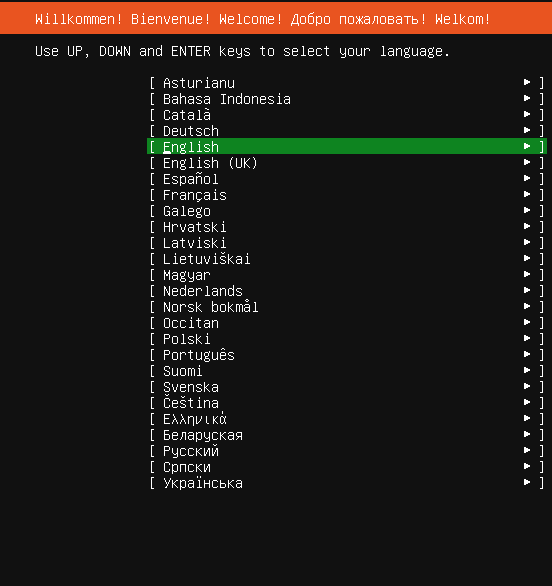
安装更新包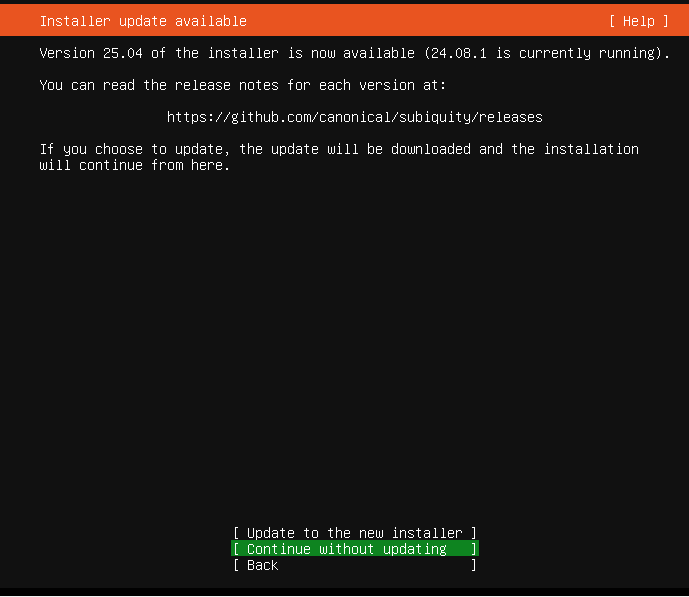
键盘布局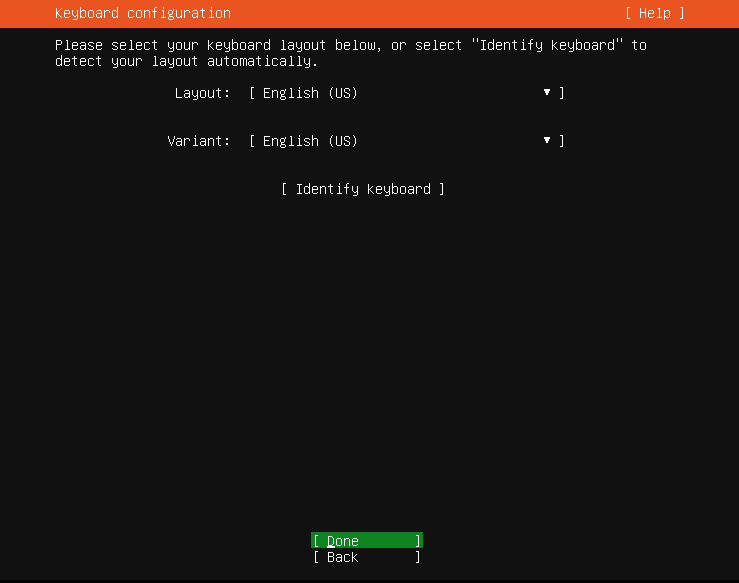
安装选择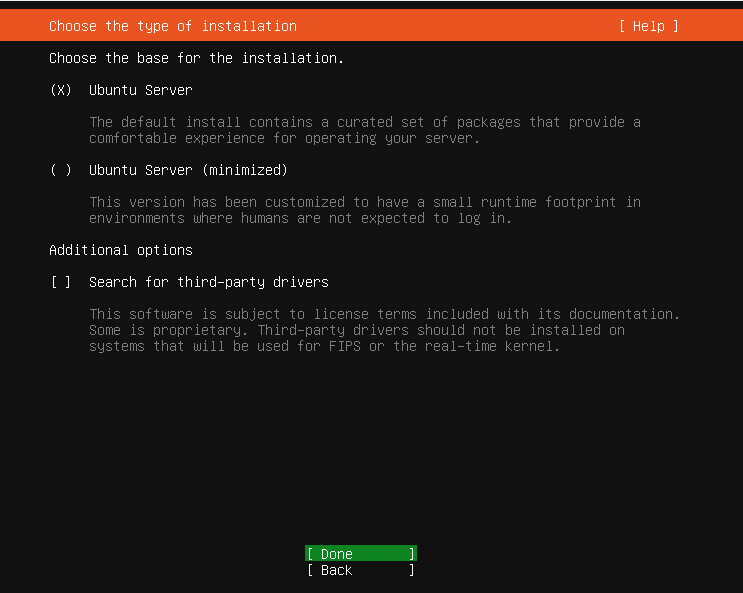
配置网络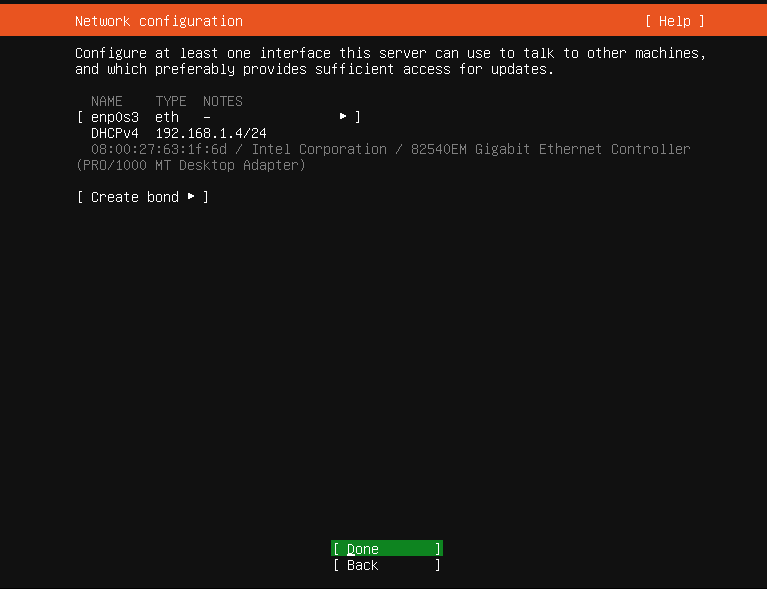
代理设置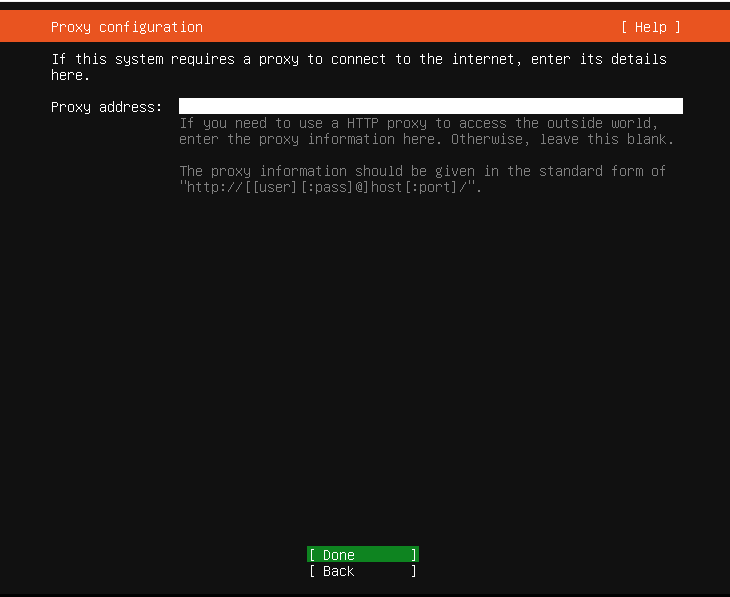
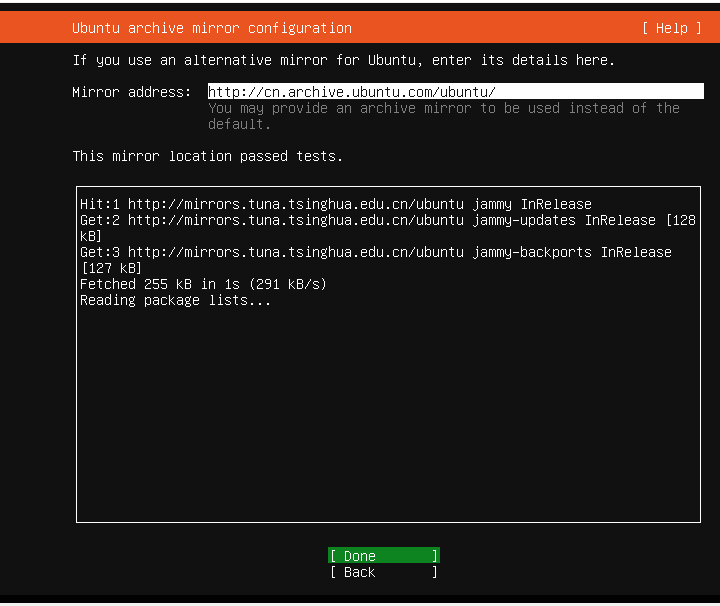
国内也没有被墙,可以不改。不过,最近感觉越来越慢了,可以改成阿里云的:http://mirrors.aliyun.com/ubuntu/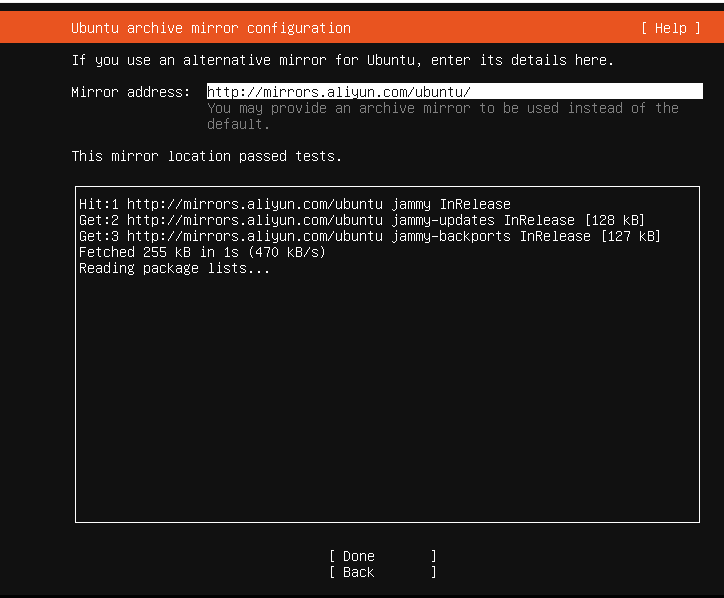
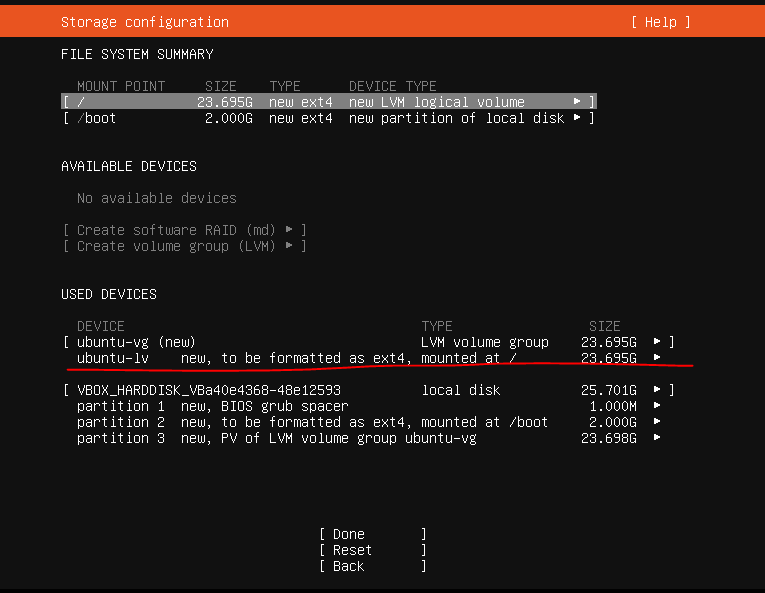
磁盘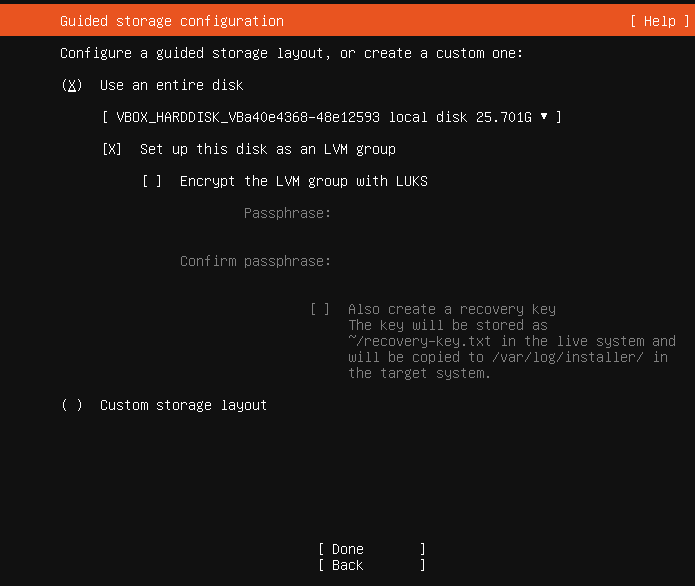
调整LV大小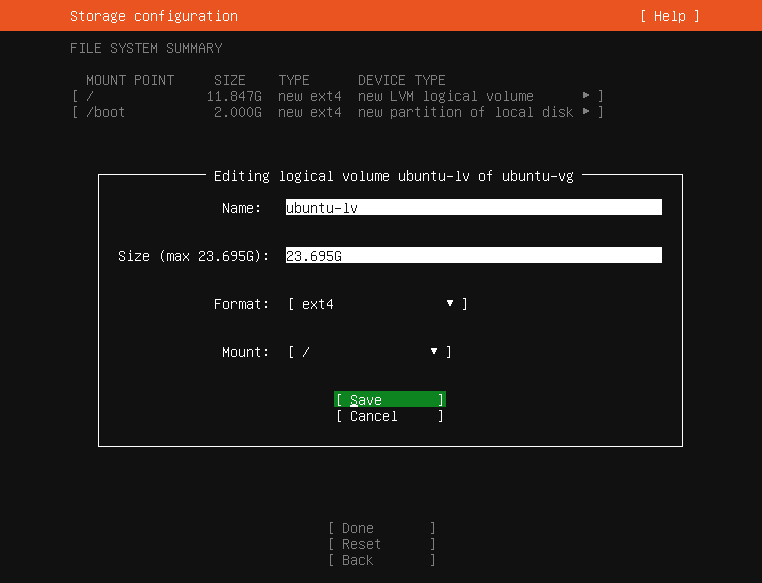
格式化分区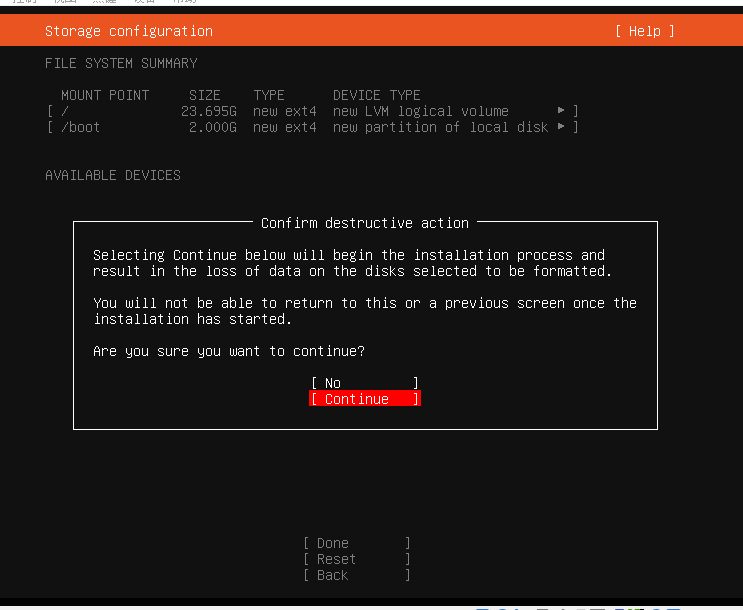
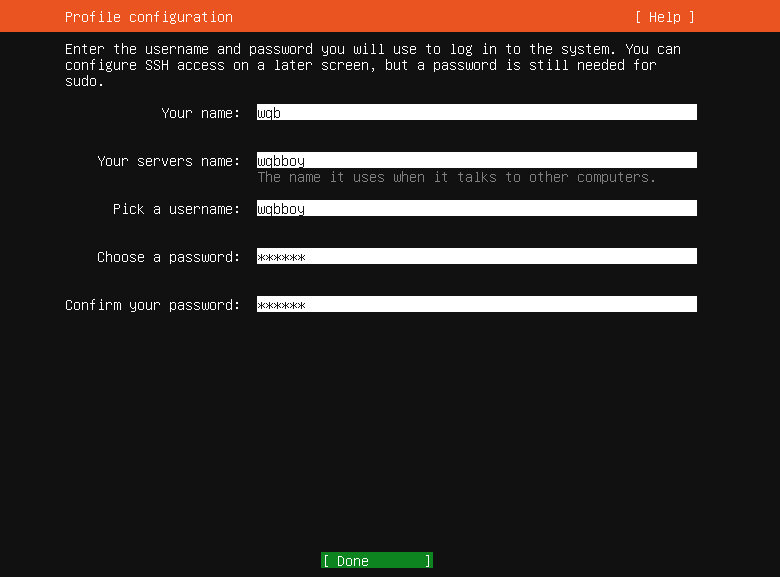
Your name:是使用在者的名称,没有太多实际意义,但是必须填写。
Your server’s name: 配置服务名
Pick a username:这个用户名为登录系统的用户名
Password:需要输入两次相同密码,建议密码设置相对复杂些,避免被爆破
下载
升级到Ubuntu Pro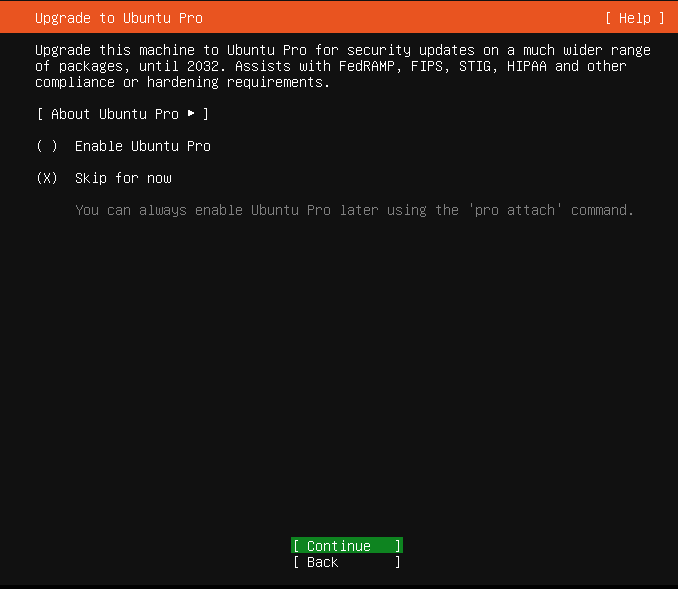
默认Install OpenSSH Server未选中,通过上/下箭头移动到 Install OpenSSH Server选项,按键盘空格键可以选中该选项。
如果不选该内容,系统安装上之后无法通过SSH登录服务器。
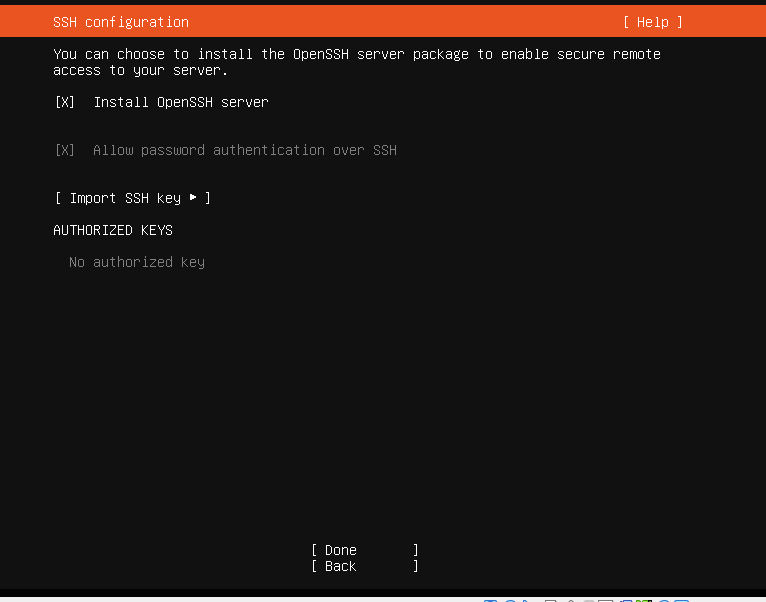
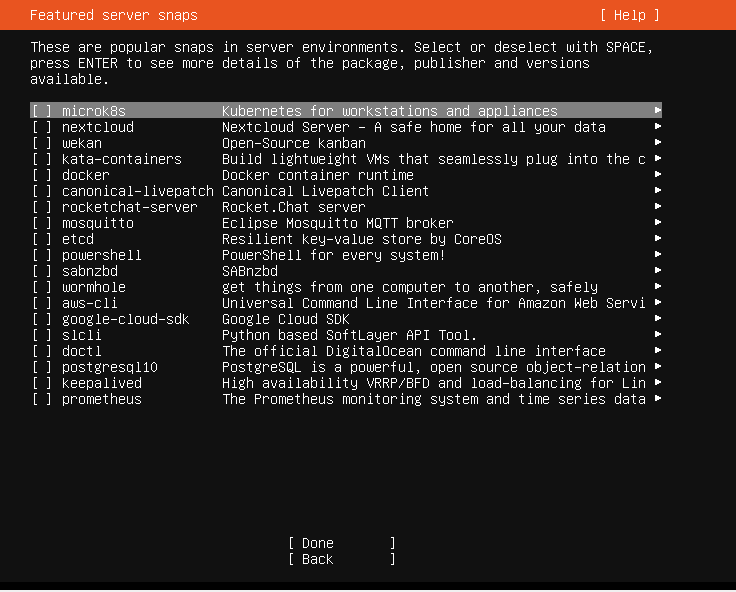
可以什么都不选,然后直接安装。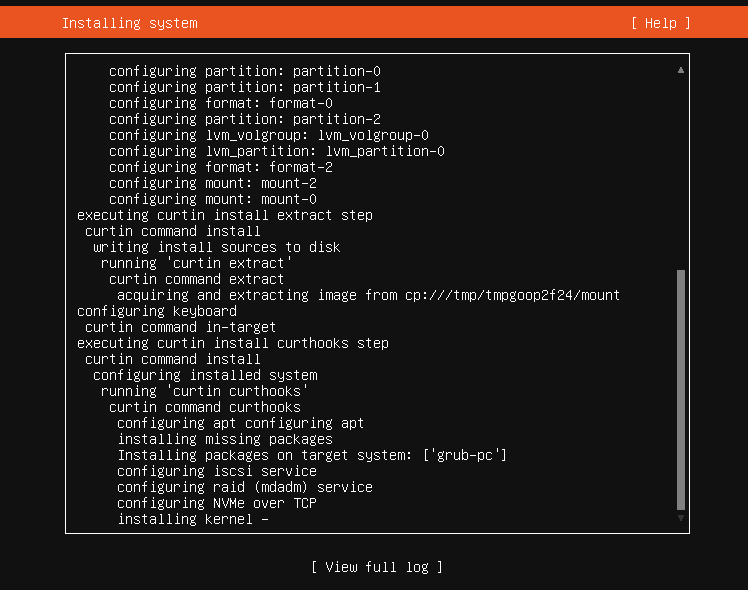
当显示Installation complete时,表示安装完成。然后选中Cancel update and reboot进行重启系统。
下载iRedMail安装包
获取方式三:wget http://www.iredmail.com/iRedMail-1.6.8.tar.bz2获取方式三:wget http://www.iredmail.com/iRedMail-1.6.8.tar.bz2
wqbboy@wqbboy:/opt/mails$ sudo wget http://github.com/iredmail/iRedMail/archive/refs/tags/1.7.4.tar.gz
--2025-09-06 10:58:17-- http://github.com/iredmail/iRedMail/archive/refs/tags/1.7.4.tar.gz
Resolving github.com (github.com)... 140.82.112.3
Connecting to github.com (github.com)|140.82.112.3|:80... connected.
HTTP request sent, awaiting response... 301 Moved Permanently
Location: https://github.com/iredmail/iRedMail/archive/refs/tags/1.7.4.tar.gz [following]
--2025-09-06 10:58:18-- https://github.com/iredmail/iRedMail/archive/refs/tags/1.7.4.tar.gz
Connecting to github.com (github.com)|140.82.112.3|:443... connected.
HTTP request sent, awaiting response... 302 Found
Location: https://codeload.github.com/iredmail/iRedMail/tar.gz/refs/tags/1.7.4 [following]
--2025-09-06 10:58:19-- https://codeload.github.com/iredmail/iRedMail/tar.gz/refs/tags/1.7.4
Resolving codeload.github.com (codeload.github.com)... 20.205.243.165
Connecting to codeload.github.com (codeload.github.com)|20.205.243.165|:443... connected.
HTTP request sent, awaiting response... 200 OK
Length: unspecified [application/x-gzip]
Saving to: ‘1.7.4.tar.gz’
1.7.4.tar.gz [ <=>] 244.85K 840KB/s in 0.3s2025-09-06 10:58:20 (840 KB/s) - ‘1.7.4.tar.gz’ saved [250725]wqbboy@wqbboy:/opt/mails$ ls1.7.4.tar.gzwqbboy@wqbboy:/opt/mails$ cat /etc/hosts127.0.0.1 localhost127.0.1.1 wqbboy.domain.com wqbboy# The following lines are desirable for IPv6 capable hosts::1 ip6-localhost ip6-loopbackfe00::0 ip6-localnetff00::0 ip6-mcastprefixff02::1 ip6-allnodesff02::2 ip6-allrouters140.82.112.3 github.com151.101.1.194 github.global.ssl.fastly.netwqbboy@wqbboy:/opt/mails$ ^Cwqbboy@wqbboy:/opt/mails$ ls1.7.4.tar.gz
解压iRedMail-1.7.4.tar.gz
wqbboy@wqbboy:/opt/mails$ sudo tar -zxvf 1.7.4.tar.gz
[sudo] password for wqbboy:
iRedMail-1.7.4/
iRedMail-1.7.4/.github/
iRedMail-1.7.4/.github/ISSUE_TEMPLATE/
iRedMail-1.7.4/.github/ISSUE_TEMPLATE/issue-or-bug-report.md
iRedMail-1.7.4/.gitignore
iRedMail-1.7.4/ChangeLog
iRedMail-1.7.4/Documentations
iRedMail-1.7.4/LICENSE
iRedMail-1.7.4/README.md
iRedMail-1.7.4/conf/
iRedMail-1.7.4/conf/amavisd
iRedMail-1.7.4/conf/clamav
iRedMail-1.7.4/conf/core
iRedMail-1.7.4/conf/dovecot
iRedMail-1.7.4/conf/fail2ban
iRedMail-1.7.4/conf/global
iRedMail-1.7.4/conf/iredadmin
iRedMail-1.7.4/conf/iredapd
iRedMail-1.7.4/conf/logwatch
iRedMail-1.7.4/conf/memcached
iRedMail-1.7.4/conf/mlmmj
iRedMail-1.7.4/conf/mysql
iRedMail-1.7.4/conf/netdata
iRedMail-1.7.4/conf/nginx
iRedMail-1.7.4/conf/openldap
iRedMail-1.7.4/conf/php
iRedMail-1.7.4/conf/postfix
iRedMail-1.7.4/conf/postgresql
iRedMail-1.7.4/conf/roundcube
iRedMail-1.7.4/conf/sogo
iRedMail-1.7.4/conf/spamassassin
iRedMail-1.7.4/conf/web_server
iRedMail-1.7.4/dialog/
iRedMail-1.7.4/dialog/config_via_dialog.sh
iRedMail-1.7.4/dialog/ldap_config.sh
iRedMail-1.7.4/dialog/mysql_config.sh
iRedMail-1.7.4/dialog/optional_components.sh
iRedMail-1.7.4/dialog/pgsql_config.sh
iRedMail-1.7.4/dialog/virtual_domain_config.sh
iRedMail-1.7.4/dialog/web_applications.sh
iRedMail-1.7.4/functions/
iRedMail-1.7.4/functions/amavisd.sh
iRedMail-1.7.4/functions/backend.sh
iRedMail-1.7.4/functions/clamav.sh
iRedMail-1.7.4/functions/cleanup.sh
iRedMail-1.7.4/functions/dovecot.sh
iRedMail-1.7.4/functions/fail2ban.sh
iRedMail-1.7.4/functions/iredadmin.sh
iRedMail-1.7.4/functions/iredapd.sh
iRedMail-1.7.4/functions/ldap_server.sh
iRedMail-1.7.4/functions/mlmmj.sh
iRedMail-1.7.4/functions/mysql.sh
iRedMail-1.7.4/functions/netdata.sh
iRedMail-1.7.4/functions/nginx.sh
iRedMail-1.7.4/functions/openldap.sh
iRedMail-1.7.4/functions/optional_components.sh
iRedMail-1.7.4/functions/packages.sh
iRedMail-1.7.4/functions/packages_freebsd.sh
执行iRedMail.sh脚本
进入iRedMail的解压目录,给安装脚本iRedMail.sh文件添加可执行文件
wqbboy@wqbboy:/opt/mails$ cd iRedMail-1.7.4/
wqbboy@wqbboy:/opt/mails/iRedMail-1.7.4$ ls
ChangeLog dialog functions LICENSE README.md tools
conf Documentations iRedMail.sh pkgs samples update
wqbboy@wqbboy:/opt/mails/iRedMail-1.7.4$ sudo chmod -x iRedMail.sh
wqbboy@wqbboy:/opt/mails/iRedMail-1.7.4$ ^C
运行安装脚本iRedMail脚本,进行iRedMail软件的安装并进行iRedMail的软件配置
bash iRedMail.sh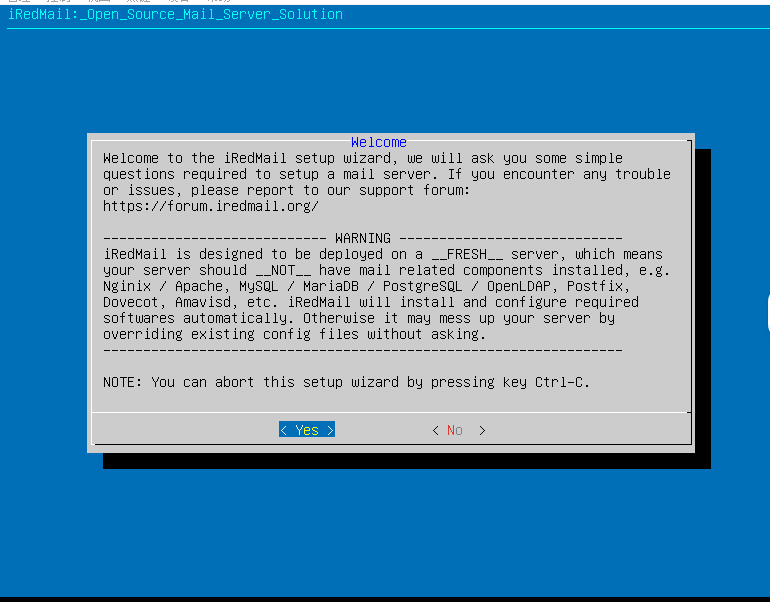
安装目录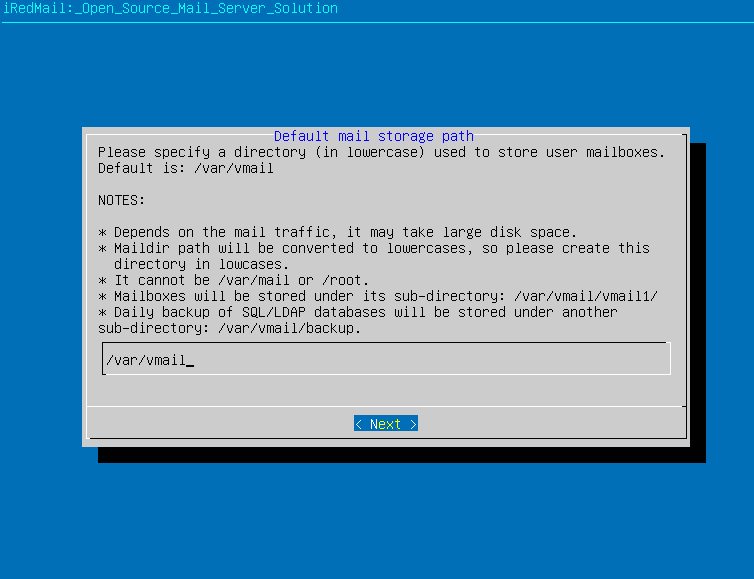
安装nginx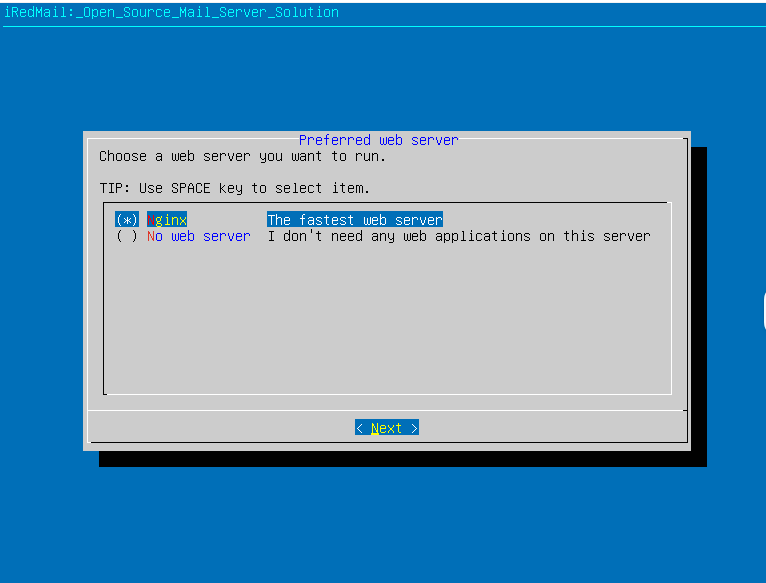
安装数据库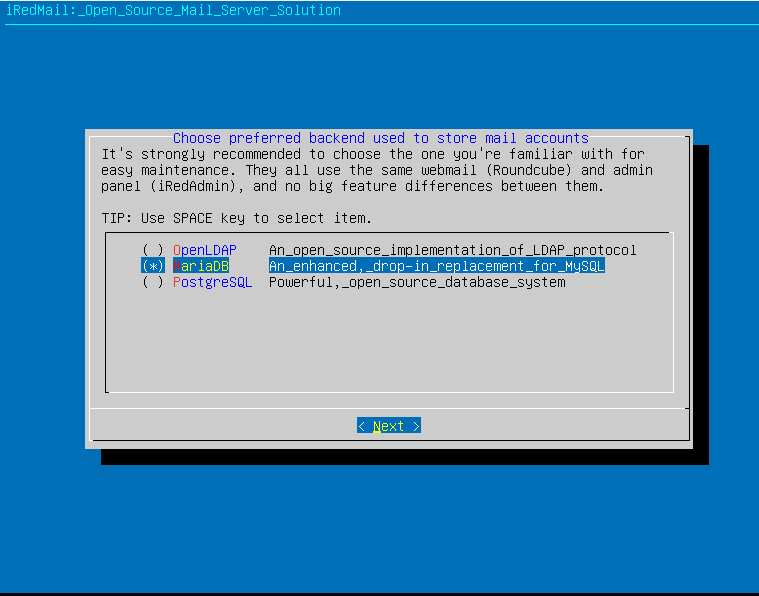
数据库密码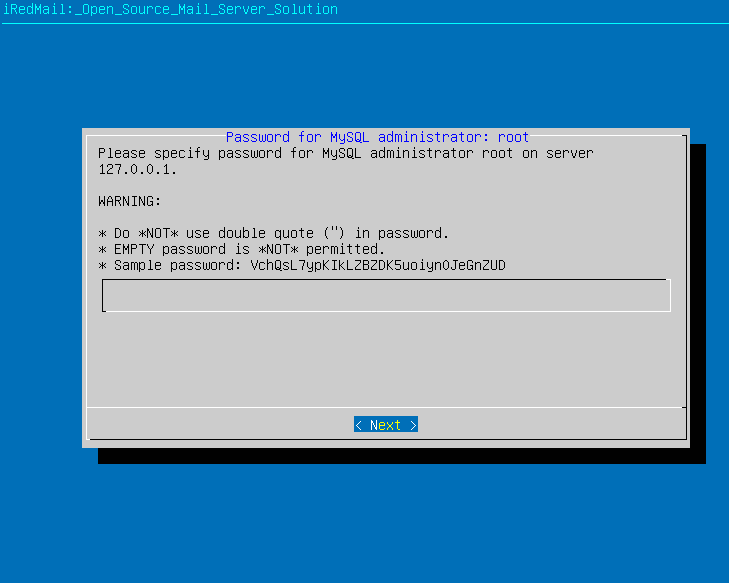
你的域名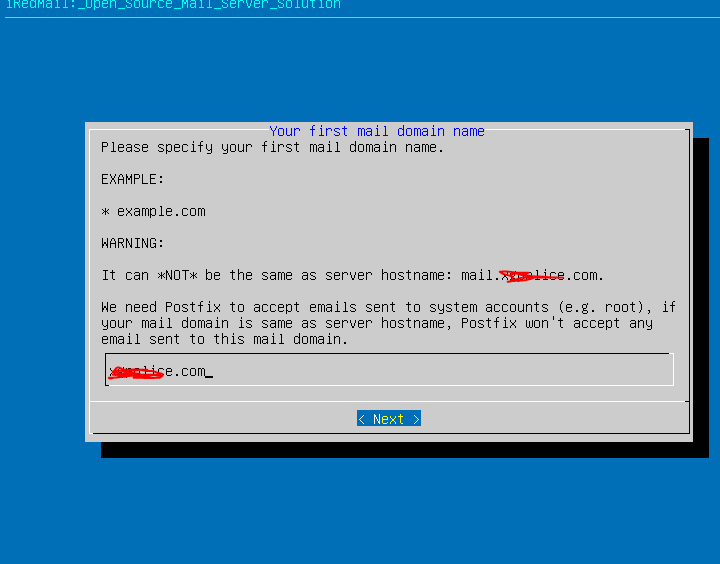
邮箱密码m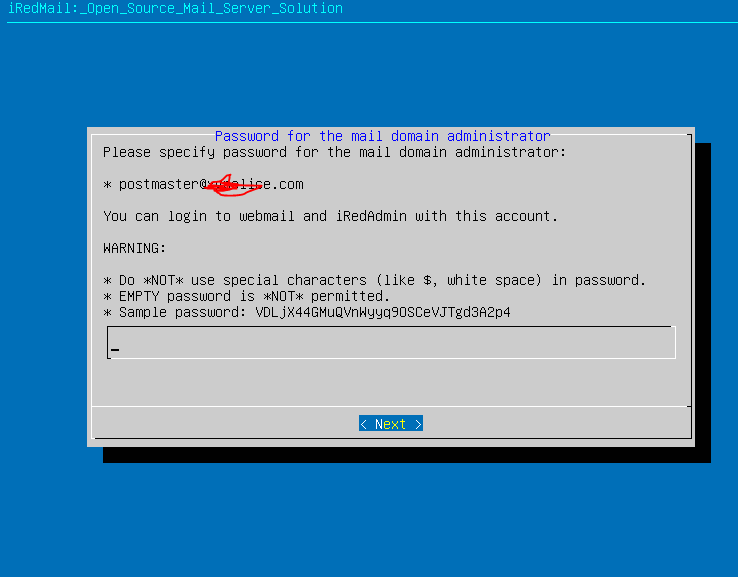
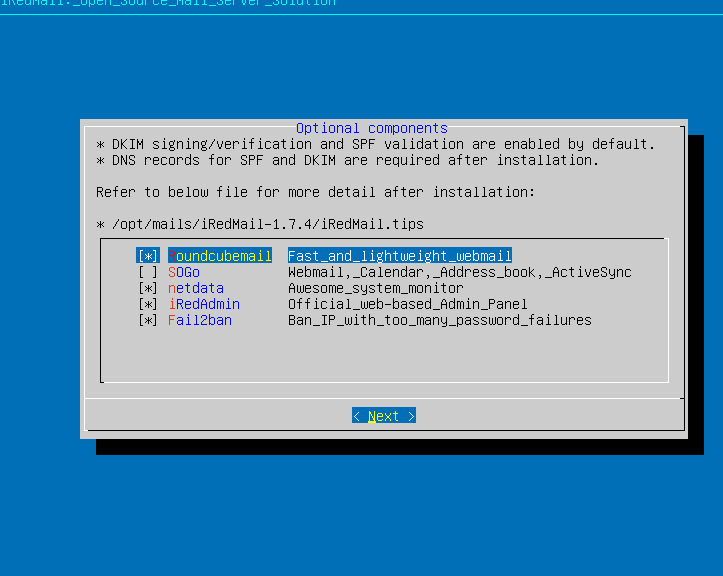
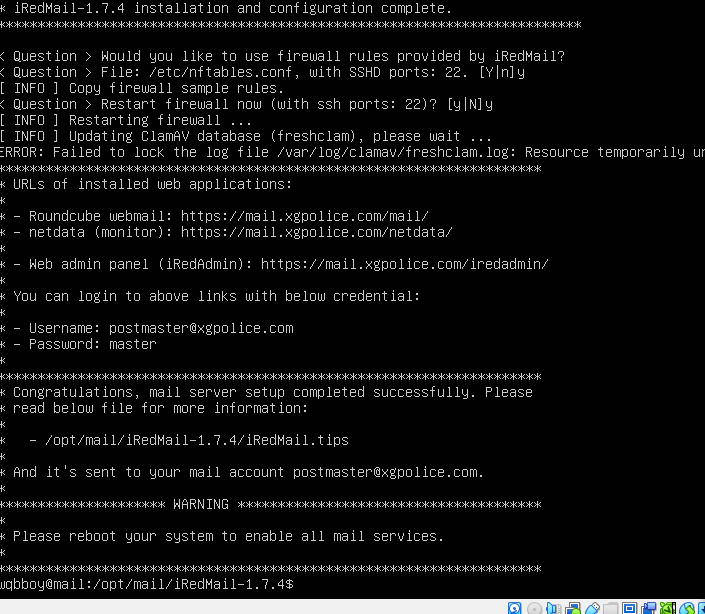
核对安装的配置信息,都选择y进行软件的安装过程,持续时间大约10分钟左右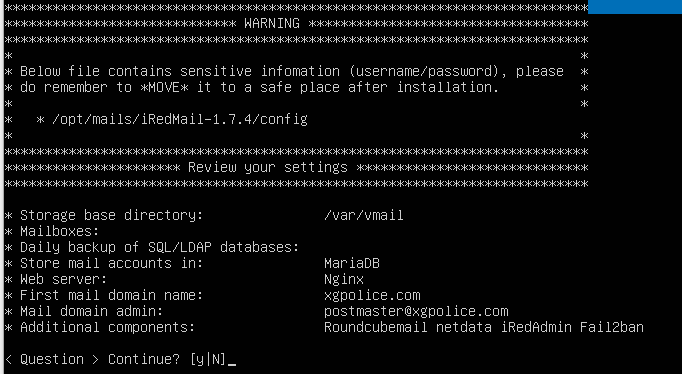
注意:确保外网连接,需要自动下载插件和库 如果速度较慢可以更换下载源 为huaweicloud 进行下载