 拓冰网站定制
测试环境 IDEA2023
一 自动编译
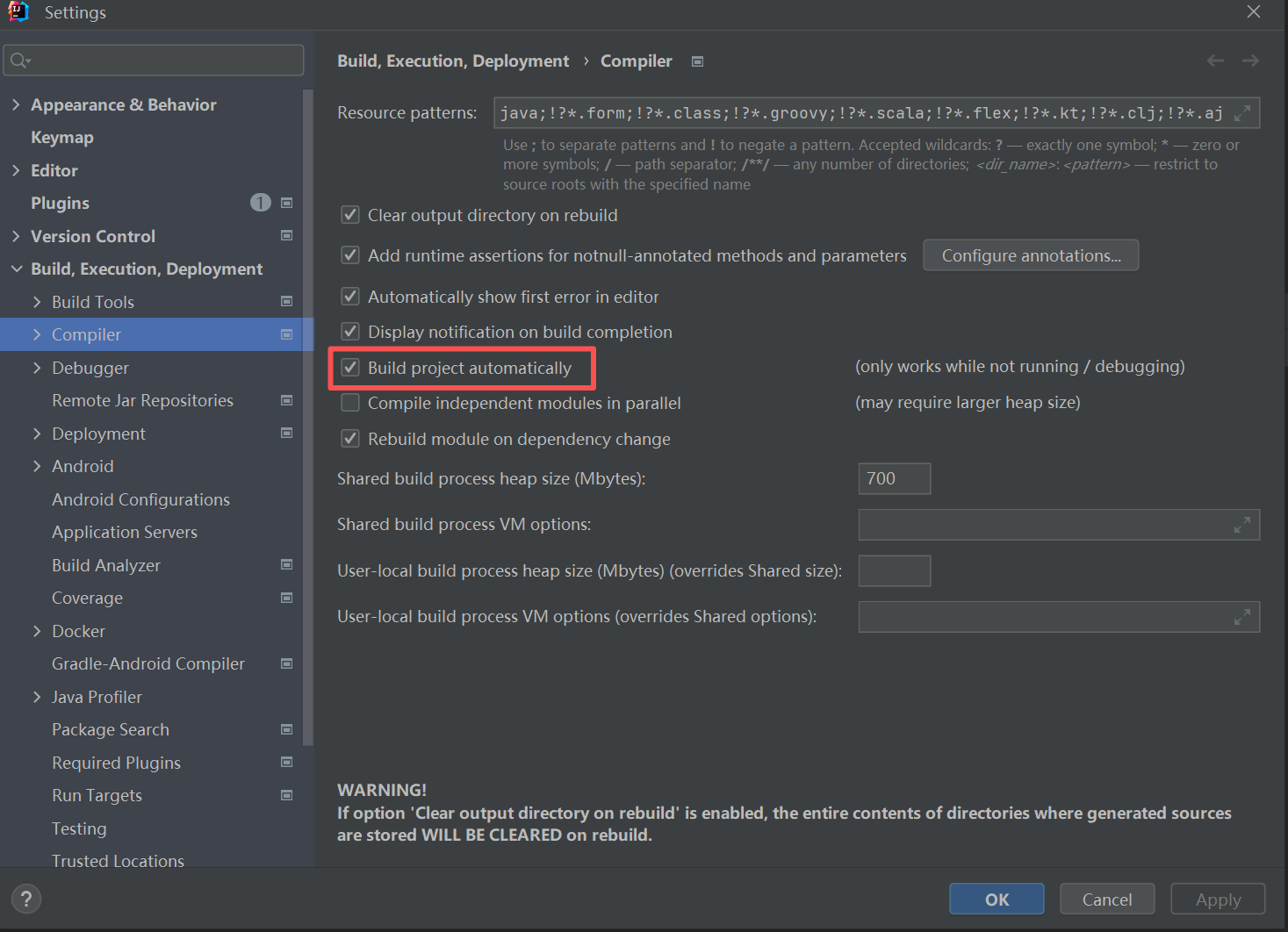
菜单 File >> Settings >> Build,Execution,Deployment >> Compiler
勾选上 Build project automatically
二 热加载
1. 设置自动编译后,添加依赖
<dependency><groupId>org.springframework.boot</groupId><artifactId>spring-boot-devtools</artifactId><scope>runtime</scope><optional>true</optional></dependency>
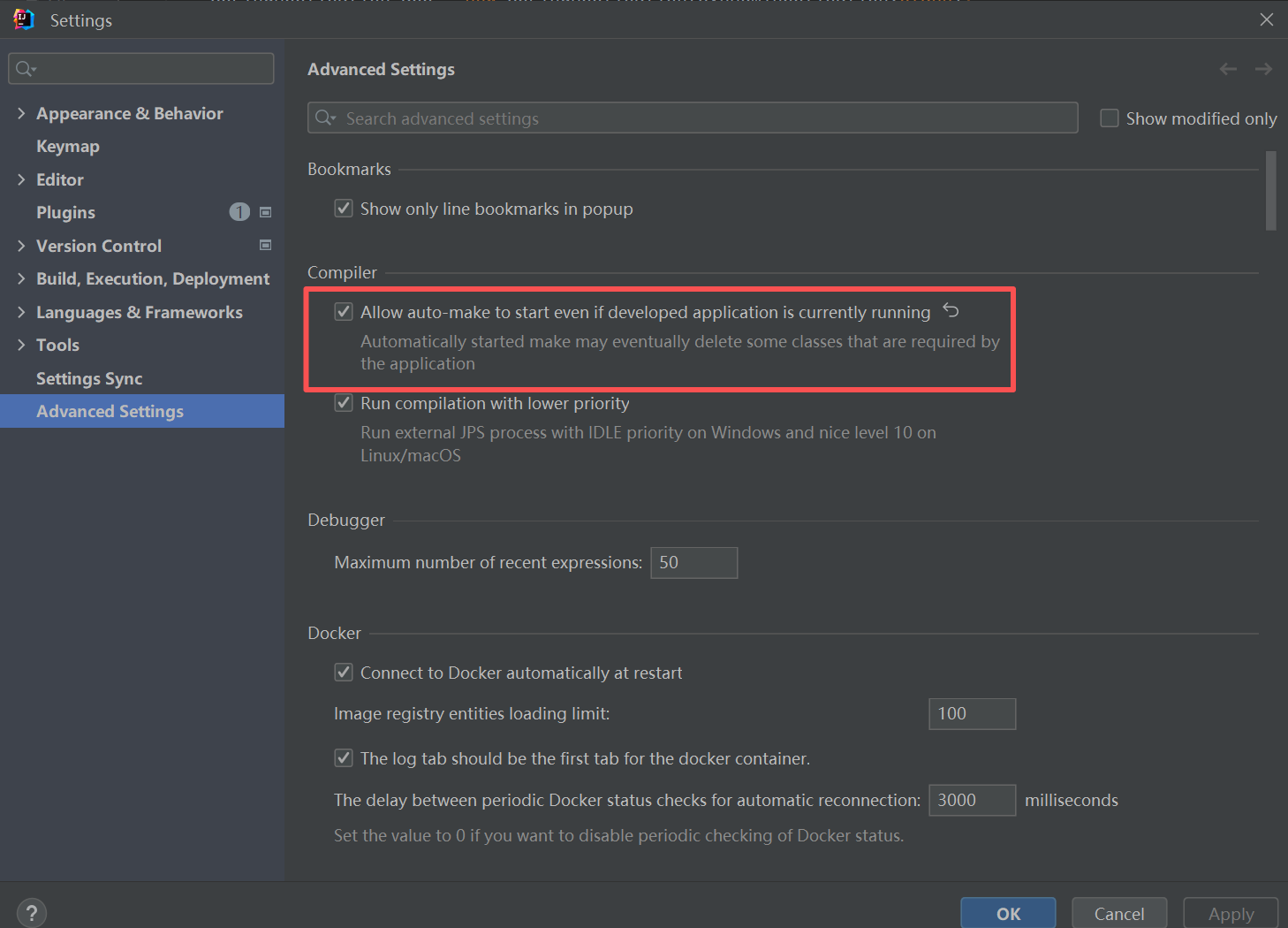
2. 然后在Settings->Advanced Settings中勾选下面的选项
Allow auto-make to start even if developed application is currently running
3. 修改application.yml
spring:devtools:#热部署生效,默认就是truerestart:enabled: true