拓冰网站定制
分布式事务
在日常开发中,我们在调用数据库完成业务功能时,只操作单个数据库实例,如果在业务处理过程中出现异常异常时,我们可用直接回滚就可以可以满足ACID。如下所示:
有个名称叫user的数据库

数据源配置如下所示:
spring:datasource:driver-class-name: com.mysql.cj.jdbc.Driverurl: jdbc:mysql://192.168.1.7:3306/consumerusername: rootpassword: 365373011
如果使用了Spring的事务注解,在操作数据库失败时直接抛出异常可以看到数据能够正常进行回滚,如下所示:
@RestController
public class ConsumerController {@Autowiredprivate UserRepository userRepository;@GetMapping("/testConsumer")@Transactionalpublic String test() {User user = new User();user.setId(1L);user.setUsername("Lyra");user.setPassword("3653760176562");userRepository.save(user);throw new RuntimeException("发生异常");}}
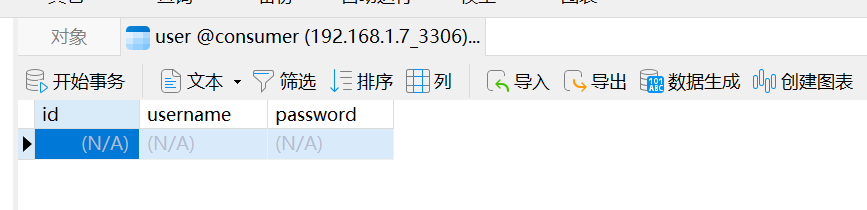
数据库还是未发生改变,可以正常进行回滚:
单数据很正常,如果遇到以下几个场景则会出现无法回滚数据库的问题:
- 单个应用操作了多个数据库,只能对单个数据库进行回滚,无法同时进行回滚。
- 操作了分库分表的数据库,只能对单个数据库进行回滚,无法同时进行回滚。
- 分布式微服务项目中,调用了多个服务,每个服务的数据库不同,没办法同时保证所有服务可以正常提交事务。
因为有以上问题,所有需要引入分布式事务中间件来保证事务的ACID。
Seata
两阶段提交
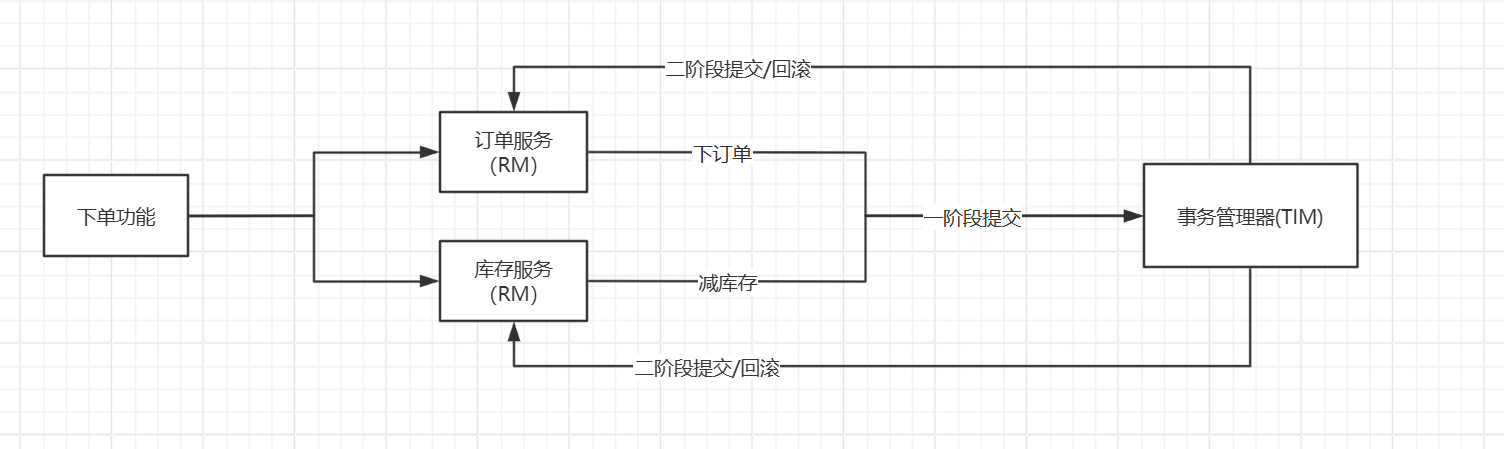
两阶段提交的主要思想就是,一批业务执行sql都提交给事务管理器,如果事务管理器在执行sql的过程中成功了,那么这批事务统一提交事务,如果失败了,那么统一进行回滚,如下图所示,我们有个下单功能需要调用订单服务和库存服务,在调用订单服务和库存服务时首先一阶段提交,将提交请求统一提交给事务管理器,然后事务管理器在执行的过程中判断是否有异常如果有异常的统一回滚被响应给各个服务,如果没异常的话那么就执行提交操作:
问题:
- 第二阶段提交成功但是事务管理器因为网络原因导致通知给RM事务提交失败回导致事务异常。
- 事务管理器挂了导致事务无法提交。
- 二阶段提交后,数据库连接才会被释放,如果有大量需要数据库连接的业务的话会阻塞。
环境搭建
文档: https://seata.apache.org/zh-cn/docs/v1.7/ops
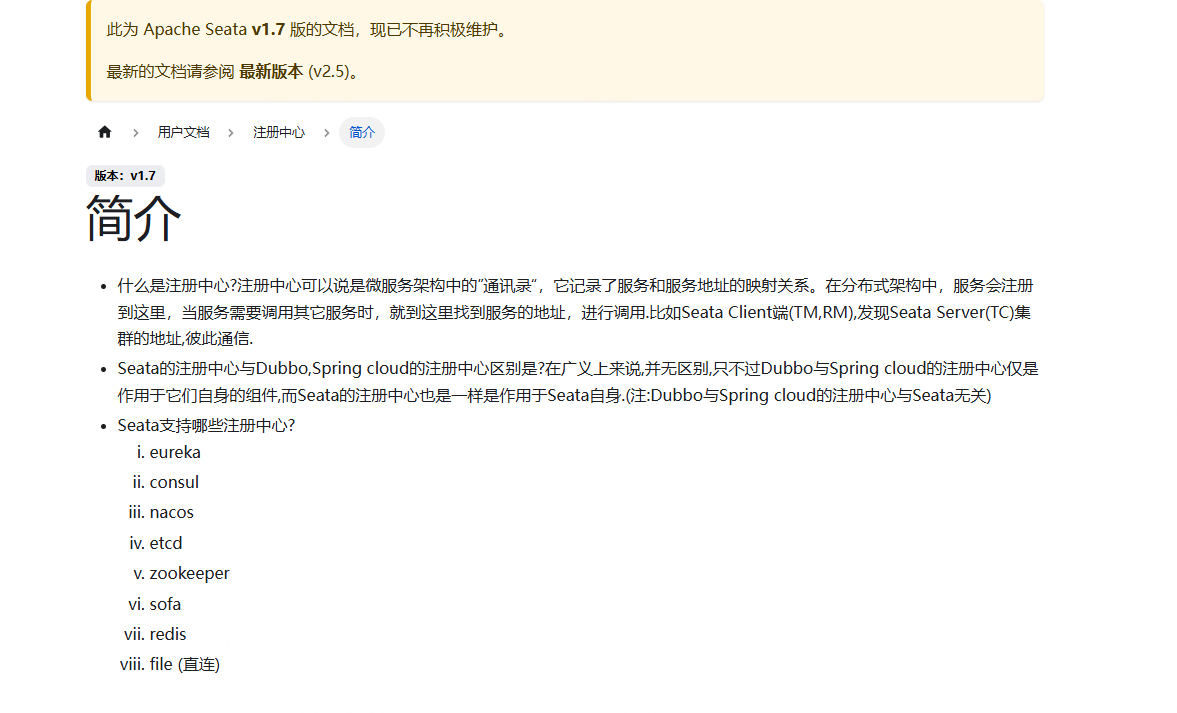
seata支持将服务注册到注册中心中,当需要使用到seata的服务时直接从注册中心拿到服务进行服务调用即可。seata支持以下几种注册中心,nacos用的比较多,我们就使用nacos来举例。
seata支持从配置中心去拉取配置,seata支持的配置中心如下所示,我们已nacos来举例:
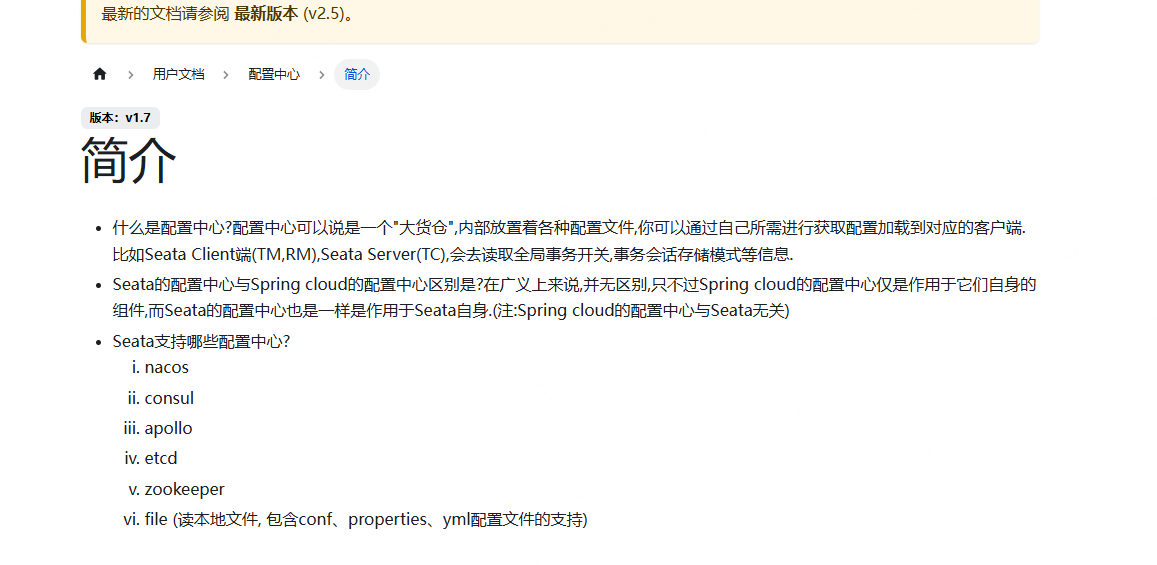
nacos环境搭建的话按文档一步一步搭建即可,这个是seata的学习笔记,nacos环境搭建就忽略了。
nacos文档: https://nacos.io/docs/latest/what-is-nacos/
修改conf/application.yml文件,根据application.example.yml文件,将系统的配置中心设置上去
将这个配置拷贝到application.yml中,修改nacos IP端口,并把type改为nacos,group标识了要从哪个分组拉取配置,如果需要改成其他分组,这里可以自定义,我这里就用它默认的分组
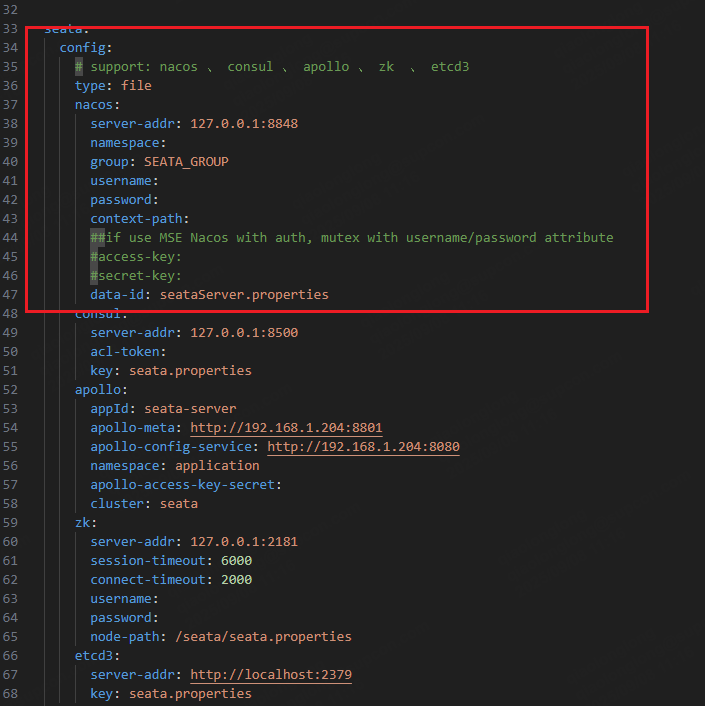
注册中心的配置也是一样的,需要注意的是,注册中心的这个group需要与微服务的服务的group保持一致,否则找到服务,无法进行事务处理,这里我们也用默认配置吧。
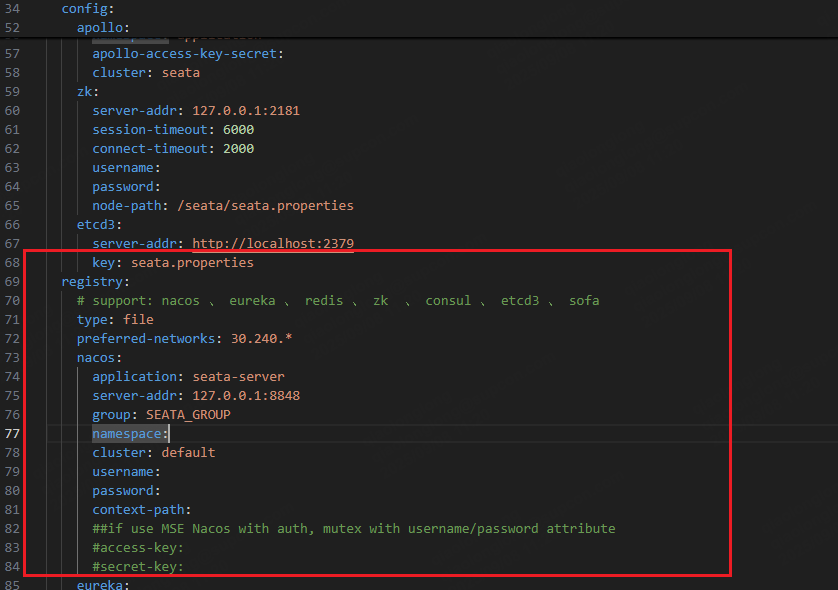
store这个配置也需要修改一下,这个配置是用于设置事务会话存储类型,一共有一下三种类型
db: 存储到数据库中,支持高可用,建议使用。
file: 存储到文件中,不支持高可用,开发测试的时候可以使用。
redis: 存储到redis中,支持高可用,性能较高,但是可能会丢失事务。
我们就使用db来做事务管理吧。
修改后的nacos配置:
#  Copyright 1999-2019 Seata.io Group.
#
#  Licensed under the Apache License, Version 2.0 (the "License");
#  you may not use this file except in compliance with the License.
#  You may obtain a copy of the License at
#
#  http://www.apache.org/licenses/LICENSE-2.0
#
#  Unless required by applicable law or agreed to in writing, software
#  distributed under the License is distributed on an "AS IS" BASIS,
#  WITHOUT WARRANTIES OR CONDITIONS OF ANY KIND, either express or implied.
#  See the License for the specific language governing permissions and
#  limitations under the License.server:port: 7091spring:application:name: seata-serverlogging:config: classpath:logback-spring.xmlfile:path: ${log.home:${user.home}/logs/seata}extend:logstash-appender:destination: 127.0.0.1:4560kafka-appender:bootstrap-servers: 127.0.0.1:9092topic: logback_to_logstashconsole:user:username: seatapassword: seata
seata:config:# support: nacos 、 consul 、 apollo 、 zk  、 etcd3type: nacosnacos:server-addr: 127.0.0.1:8848namespace:group: SEATA_GROUPusername:password:context-path:##if use MSE Nacos with auth, mutex with username/password attribute#access-key:#secret-key:data-id: seataServer.propertiesregistry:# support: nacos 、 eureka 、 redis 、 zk  、 consul 、 etcd3 、 sofatype: nacosnacos:application: seata-serverserver-addr: 127.0.0.1:8848group: SEATA_GROUPnamespace:cluster: defaultusername:password:context-path:##if use MSE Nacos with auth, mutex with username/password attribute#access-key:#secret-key:store:# support: file 、 db 、 redismode: db
#  server:
#    service-port: 8091 #If not configured, the default is '${server.port} + 1000'security:secretKey: SeataSecretKey0c382ef121d778043159209298fd40bf3850a017tokenValidityInMilliseconds: 1800000ignore:urls: /,/**/*.css,/**/*.js,/**/*.html,/**/*.map,/**/*.svg,/**/*.png,/**/*.jpeg,/**/*.ico,/api/v1/auth/login
进入script\server\db中将会话数据库的表导入到数据库中。
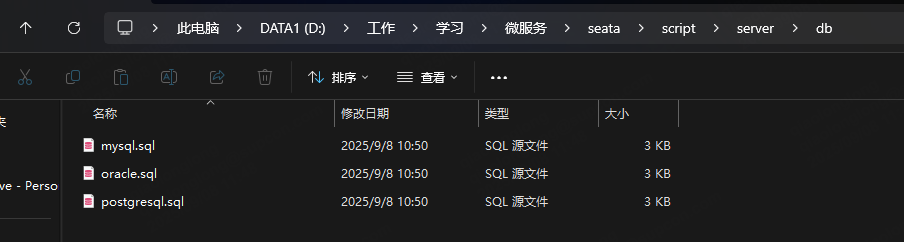
导入完成后会发现有三张表
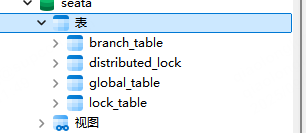
之后进入seata\script\config-center,将config.txt导入到注册中心中
点击创建配置,将config.txt复制到输入框中
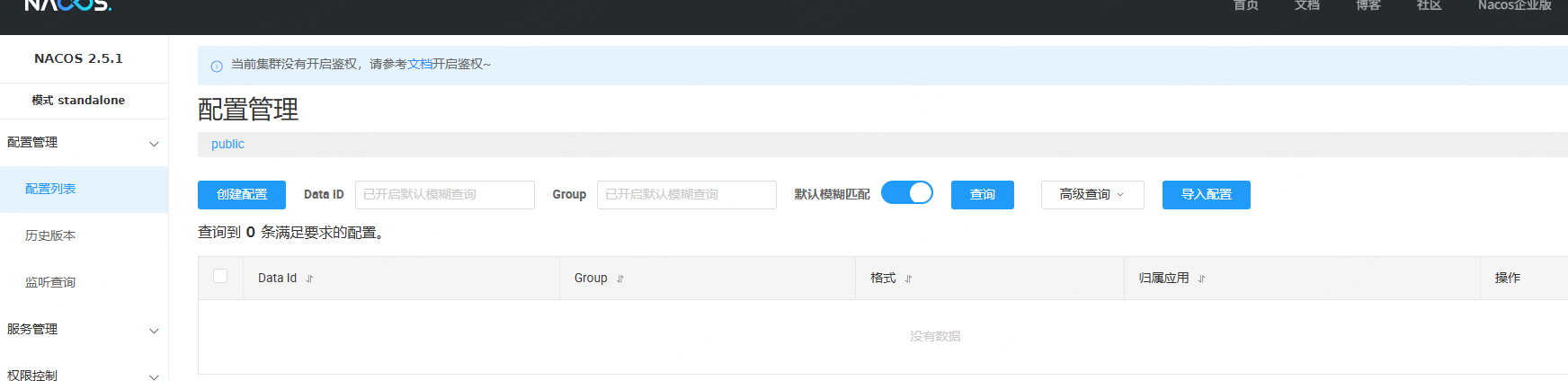
store相关的数据库连接需要修改配置,配置成我们之前导入的那个数据库的配置
store.db.datasource=druid
store.db.dbType=mysql
store.db.driverClassName=com.mysql.jdbc.Driver
store.db.url=jdbc:mysql://192.168.8.126:3316/seata?useUnicode=true&rewriteBatchedStatements=true
store.db.user=root
store.db.password=admin123
store.db.minConn=5
store.db.maxConn=30
store.db.globalTable=global_table
store.db.branchTable=branch_table
store.db.distributedLockTable=distributed_lock
store.db.queryLimit=100
store.db.lockTable=lock_table
store.db.maxWait=5000
需要注意的是配置的group和dataId需要与我们之前的nacos配置中心的配置保持一致,之前配置的group是SEATA_GROUP,dataId为seataServer.properties。
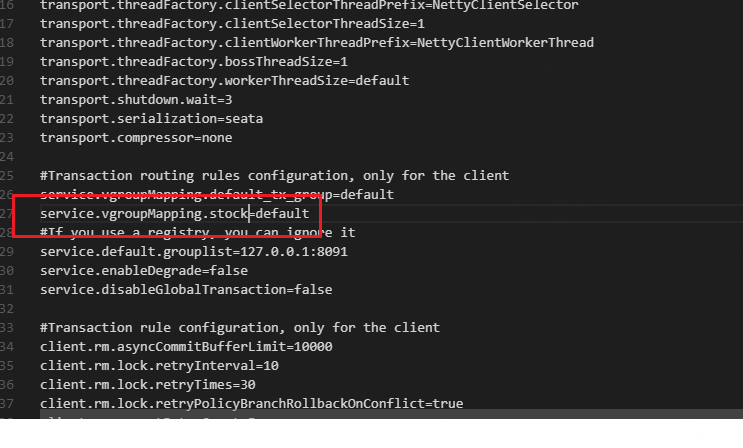
需要注意一下这个配置
service.vgroupMapping,这个配置是事务组配置,用于将事务按组进行划分,不同的业务用不同的组key为组名称,value为seata集群名称,这个配置可以加多个,我们就加个stock的的事务分组。
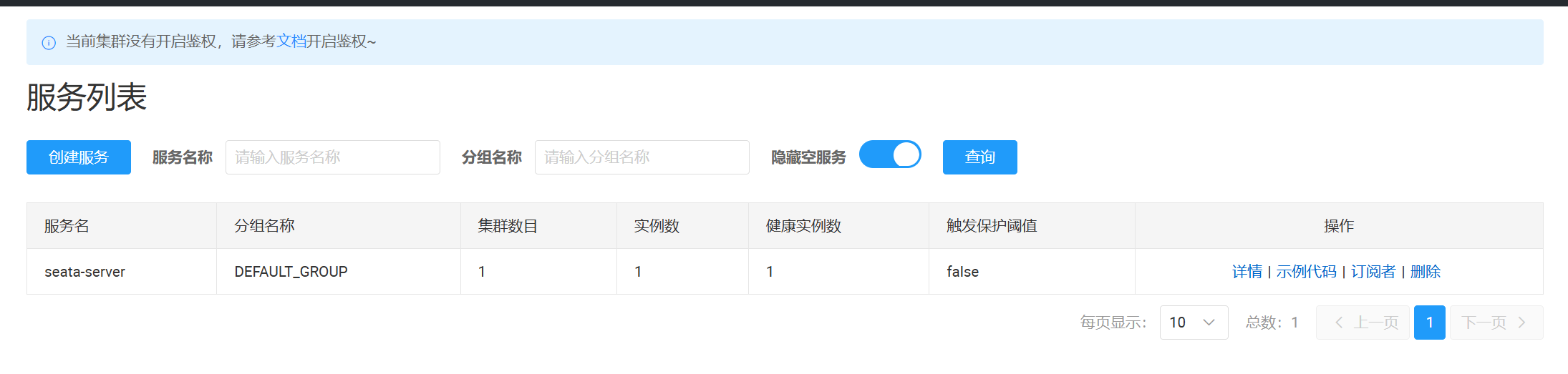
之后直接执行bin目录的seata启动脚本,服务启动后会在nacos注册