 拓冰网站定制
一、概述
上一篇文章,已经实现了资讯列表跳转详情并传递id
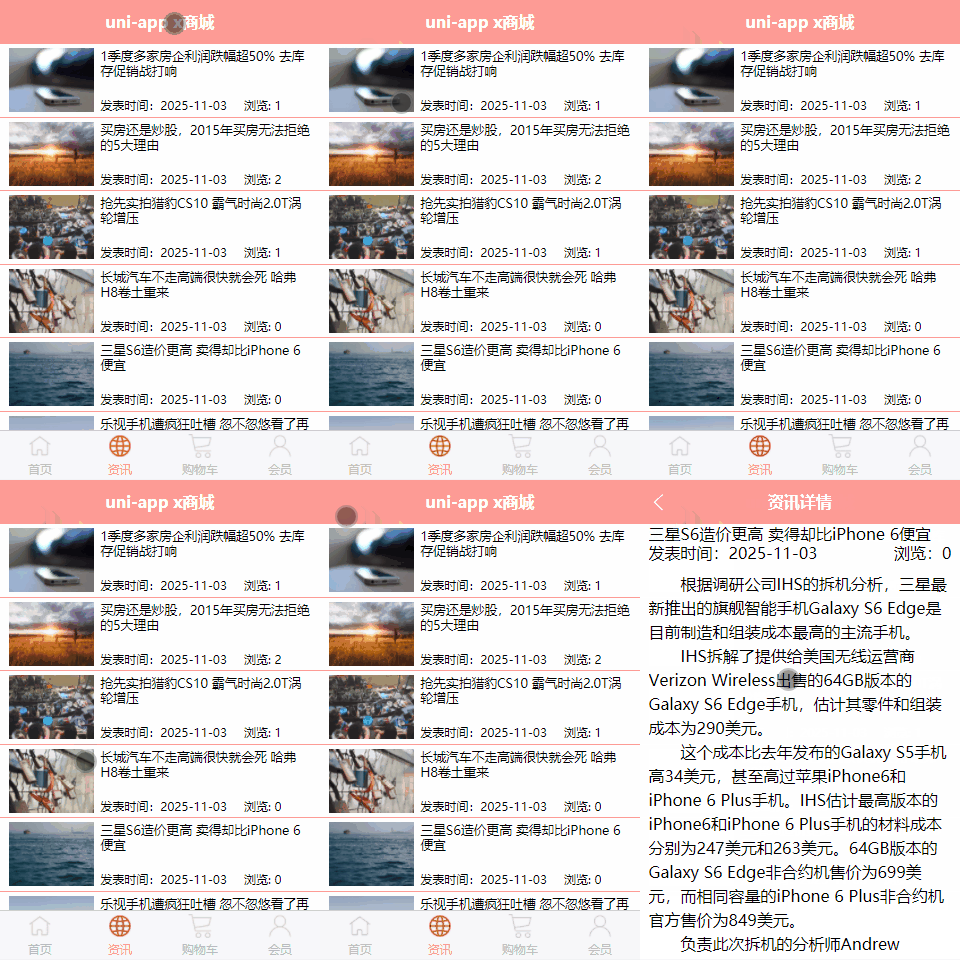
接下来实现,资讯详情页面数据渲染
效果如下:
二、资讯详情页面结构
修改 pages/news/news-detail文件,固定一行数据
<template><view><!-- 资讯页 点击跳转--><view class="news_detail"><view><text>1季度多家房企利润跌幅超50% 去库存促销战打响</text><view class="info"><text>2015-04-16</text><text>浏览:3</text></view><view class="content"><text>房企一季度销售业绩已经陆续公布,克而瑞研究中心统计数据显示,今年一季度,TOP20的房企仅6家实现业绩同比增长。</text></view></view></view></view>
</template><script>export default {data() {return {id: ''}},//页面加载拿到传递来的参数id值
        onLoad(value) {this.id = value.id;console.log("onload拿到id", value);},methods: {}}
</script><style lang="scss">.news_detail {font-size: 30rpx;padding: 0 20rpx;.title {text-align: center;width: 710rpx;display: block;margin: 20rpx 0;}.info {display: flex;justify-content: space-between;// 子元素自动水平排列flex-direction: row;}.content {margin-top: 10px;}}
</style>
编译代码,运行效果如下:

三、调用api接口
//发送请求 传入id获取资讯详情
async getNewsDetail() {const res = await this.$http.get('/api/getnew/' + this.id, {})this.detail = res.message[0];console.log("id:" + this.id + " 资讯数据", this.detail);
}
四、数据渲染
rich-text
官方文档:https://uniapp.dcloud.net.cn/component/rich-text.html#rich-text
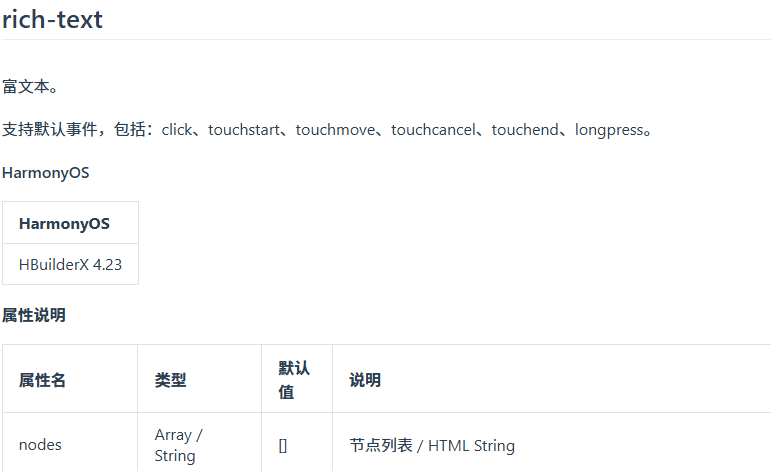
注意:由于api接口返回的详情内容是一段html代码,因此需要使用rich-text组件来渲染。
修改 pages/news/news-detail文件,渲染api接口数据
完整代码如下:
<template><view><!-- 资讯页 点击跳转--><view class="news_detail"><view><text>{{detail.title}}</text><view class="info"><text>{{detail.add_time}}</text><text>浏览:{{detail.click}}</text></view><view class="content"><!-- rich-text 支持富文本 --><rich-text :nodes="detail.content"></rich-text></view></view></view></view>
</template><script>export default {data() {return {id: '',//详情数据回显detail: "",}},//页面加载拿到传递来的参数id值
        onLoad(value) {this.id = value.id;console.log("onload拿到id", value);//回显详情数据方法
            this.getNewsDetail();},methods: {//发送请求 传入id获取资讯详情
            async getNewsDetail() {const res = await this.$http.get('/api/getnew/' + this.id, {})this.detail = res.message[0];console.log("id:" + this.id + " 资讯数据", this.detail);}}}
</script><style lang="scss">.news_detail {font-size: 30rpx;padding: 0 20rpx;.title {text-align: center;width: 710rpx;display: block;margin: 20rpx 0;}.info {display: flex;justify-content: space-between;// 子元素自动水平排列flex-direction: row;}.content {margin-top: 10px;}}
</style>
编译运行,效果如下:

五、封装公用类
可以看到上面的时间格式不对,但是重新copy一份代码,格式化日志,比较麻烦。
为安全考虑,uvue 不支持 v-html 指令,因此还需要对  这类 HTML 实体 转成空格
因此需要封装一个共用类,实现全局统一调用。
新建文件utils/public.uts,内容如下:
// 公共工具类 export class PublicMethod {toast(msg : string) {uni.showToast({ title: msg, icon: 'none' })}formatDate(d : Date) : string {const y = d.getFullYear()const m = String(d.getMonth() + 1).padStart(2, '0')const day = String(d.getDate()).padStart(2, '0')return `${y}-${m}-${day}`}// 截取日期 cut_data(time_str) {const date = time_str.split('T')[0];return date;},// 转换特殊html内容为空格htmlEntities(str : string) : string {return str.replace(/ /g, '\u2003').replace(/ /g, '\u2002').replace(/ /g, '\u00A0').replace(/</g, '<').replace(/>/g, '>').replace(/&/g, '&')}// ……想加多少方法继续写 }
修改main.uts,挂载实例
import App from './App.uvue'import { createSSRApp } from 'vue'import uviewPlus from 'uview-plus'import { PublicMethod } from '@/utils/public.uts'// 全局唯一实例
uni.$publicMethod = new PublicMethod()/* 1. 引入 request(里面已经初始化好 http) */
import http from '@/utils/request'export function createApp() {const app = createSSRApp(App)/* 2. 挂到全局属性 */app.config.globalProperties.$http = httpapp.use(uviewPlus)return {app}
}
修改 pages/news/news-detail文件,调用公共方法publicMethod
<template><view><!-- 资讯页 点击跳转--><view class="news_detail"><view><text>{{detail.title}}</text><view class="info"><text>发表时间:{{publicMethod.cut_data(detail.add_time)}}</text><text>浏览:{{detail.click}}</text></view><view class="content"><!-- rich-text 支持富文本 --><rich-text :nodes="publicMethod.htmlEntities(detail.content)"></rich-text></view></view></view></view>
</template><script>export default {data() {return {id: '',//详情数据回显detail: "",// 把全局实例挂到当前页面 data
                publicMethod: uni.$publicMethod as PublicMethod,}},//页面加载拿到传递来的参数id值
        onLoad(value) {this.id = value.id;console.log("onload拿到id", value);//回显详情数据方法
            this.getNewsDetail();},methods: {//发送请求 传入id获取资讯详情
            async getNewsDetail() {const res = await this.$http.get('/api/getnew/' + this.id, {})this.detail = res.message[0];console.log("id:" + this.id + " 资讯数据", this.detail);}}}
</script><style lang="scss">.news_detail {font-size: 30rpx;padding: 0 20rpx;.title {text-align: center;width: 710rpx;display: block;margin: 20rpx 0;}.info {display: flex;justify-content: space-between;// 子元素自动水平排列flex-direction: row;}.content {margin-top: 10px;}}
</style>
编译代码,效果如下:
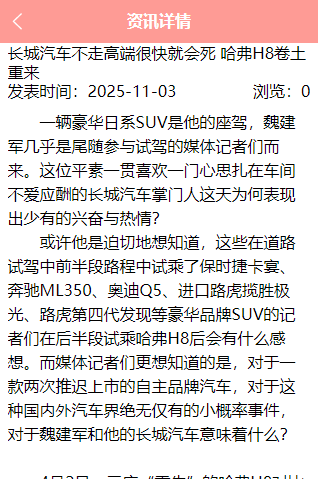
再点击其他资讯,效果如下: