 拓冰网站定制
在Spring Boot系统中接入DeepSeek服务,并将其提供给用户使用,通常需要以下步骤:
一、准备工作
(1)注册DeepSeek开发者账号
访问DeepSeek官网,注册并创建应用,获取API Key。
API文档:DeepSeek文档
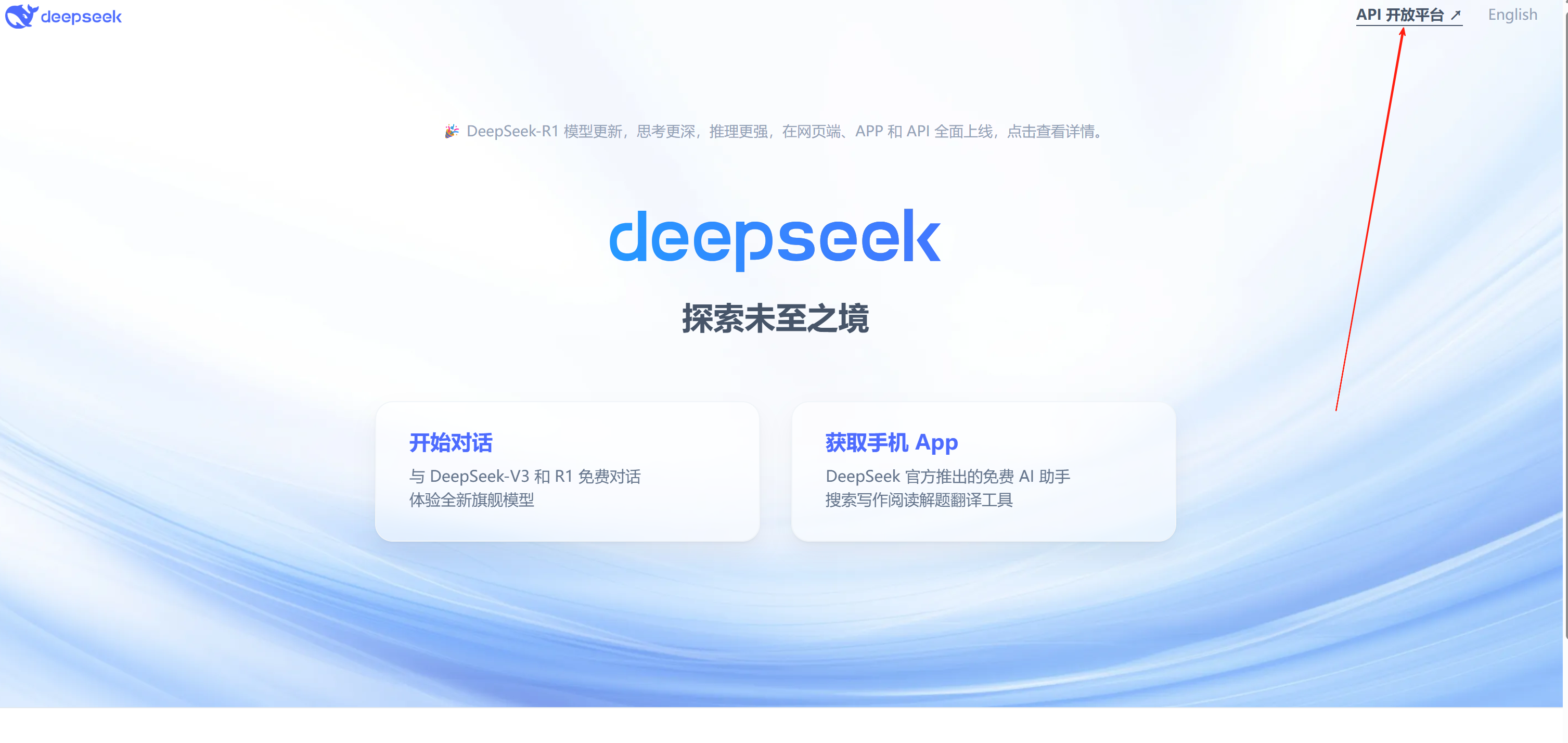
(2)查阅DeepSeek的API文档,了解接口地址、请求参数和返回格式。
(3)确保已有一个Spring Boot项目,或者创建一个新的Spring Boot项目。
(4)确保已有一个Spring Boot项目,或者创建一个新的Spring Boot项目。
(5)JDK版本必须17版本以上。
二、集成步骤
引入POM包
<
!-- deepseek 开始 -->
<dependency><groupId>com.squareup.okhttp3</groupId><artifactId>okhttp</artifactId><version>4.12.0</version><!-- 用最新稳定版 --></dependency><!-- JSON处理 --><dependency><groupId>com.google.code.gson</groupId><artifactId>gson</artifactId><version>2.10.1</version><!-- 使用最新稳定版本 --></dependency><!-- deepseek 结束 -->
三、创建请求类
import lombok.Data
;
import java.util.List
;
@Data
public
class ChatRequest {
private String model;
private List<
Message> messages;
@Data
public
static
class Message {
private String role;
private String content;
// 添加构造函数
public Message(String role, String content) {
this.role = role;
this.content = content;
}
}
}
import lombok.Data
;
import java.util.List
;
@Data
public
class DeepSeekResponse {
private List<
Choice> choices;
@Data
public
static
class Choice {
private Message message;
@Data
public
static
class Message {
private String role;
private String content;
}
}
}四、请求参数类
import lombok.Data
;
/**
* 返回结果
*/
@Data
public
class ResultMess
{
//输入咨询内容
private String message;
}
五、实现调用
1.需要注意传入的api 需要换成自己再deepseek平台申请的api。
2.发送请求调用的地址是: https://api.deepseek.com/v1/chat/completions
import com.aigc.common.core.domain.AjaxResult
;
import org.springframework.web.bind.annotation.*
;
import org.springframework.web.client.RestTemplate
;
import org.springframework.http.HttpEntity
;
import org.springframework.http.HttpHeaders
;
import org.springframework.http.HttpMethod
;
import org.springframework.http.ResponseEntity
;
import java.util.List
;
/**
* deepseek 控制器
*/
@RestController
@RequestMapping
("/system/deepseek"
)
public
class DeepseekController
{
private
final RestTemplate restTemplate =
new RestTemplate(
)
;
public String callDeepSeek(String userMessage) {
// 记录请求开始时间
long startTime = System.currentTimeMillis(
)
;
// 设置请求头
HttpHeaders headers =
new HttpHeaders(
)
;
headers.set("Content-Type"
, "application/json"
)
;
//todo 传入对应的api key
headers.set("Authorization"
, "Bearer " + "sk-074d2b621ac6ef292"
)
;
// 构建请求体
ChatRequest request =
new ChatRequest(
)
;
request.setModel("deepseek-chat"
)
;
request.setMessages(List.of(
new ChatRequest.Message("user"
, userMessage)
)
)
;
// 发送请求
//todo https://api.deepseek.com/v1/chat/completions 调用地址
HttpEntity<
ChatRequest> entity =
new HttpEntity<
>(request, headers)
;
ResponseEntity<
DeepSeekResponse> response = restTemplate.exchange(
"https://api.deepseek.com/v1/chat/completions"
, HttpMethod.POST
, entity, DeepSeekResponse.
class
)
;
// 解析响应
String result;
if (response.getStatusCode(
).is2xxSuccessful(
) && response.getBody(
) !=
null
) {
result = response.getBody(
).getChoices(
).get(0
).getMessage(
).getContent(
)
;
}
else {
throw
new RuntimeException("Failed to call DeepSeek API: " + response.getStatusCode(
)
)
;
}
// 记录请求结束时间
long endTime = System.currentTimeMillis(
)
;
// 计算接口执行耗时
long duration = endTime - startTime;
System.out.println("调用 DeepSeek API 耗时: " + duration + " 毫秒"
)
;
return result;
}
/**
* 调用 deepseek 接口
* @param resultMess
*/
@PostMapping
("/chat"
)
public AjaxResult chat(@RequestBody
ResultMess resultMess) {
AjaxResult ajaxResult =
new AjaxResult(
)
;
//返回的结果
ajaxResult.put("message"
,
this.callDeepSeek(resultMess.getMessage(
)
)
)
;
ajaxResult.put("success"
, 200
)
;
return ajaxResult;
}
}
六、通过调用接口返回内容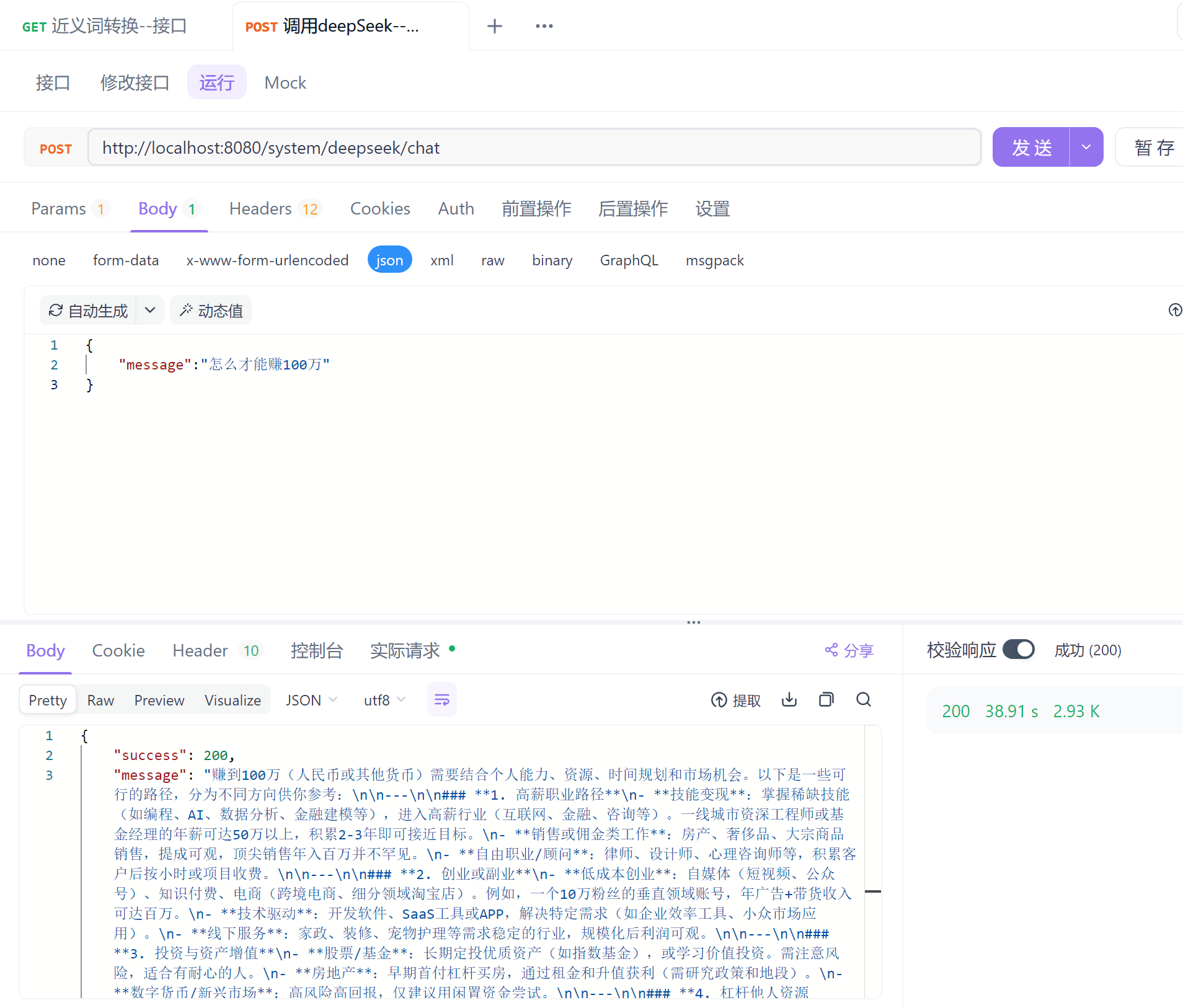
七、调用之后想法
1.总体来说还可以把。
2.就是返回内容特别慢:调用 DeepSeek API 耗时: 38154 毫秒。
3.每次调用是0.01元